 ログイン
ログイン
FAQ
What are the tags displayed on the tag search screen?
You can search for a tag on the tag search screen to display a list of materials that have this tag.
Suppose you add a tag such as the following: "_____ seminar reference book" or "A must read for _____ class." Then, after a tag search, anyone can bring up the same list of materials.
For example, try clicking a tag in "New tags," "Recent tags," or "Popular tags." Then, materials that have these tags are displayed.
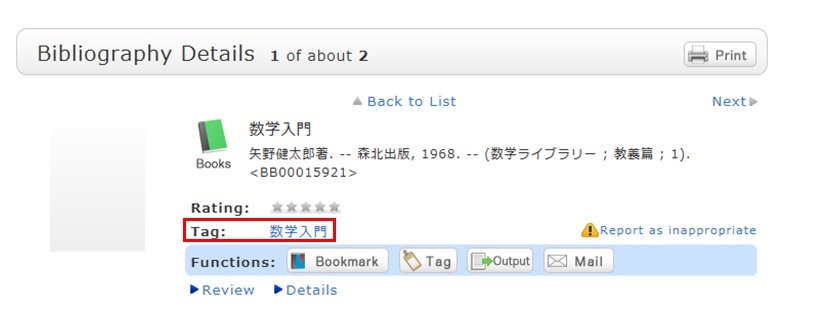
You can register tags on the search result list screen and the bibliography details screen.

- 貸出予約
- 貸出期間延長
- 電子ブックを読む
- 学外利用可能な
データベースを見る
Opening Hours
Calendar
| 日 | 月 | 火 | 水 | 木 | 金 | 土 |
29 | 30 | 31 | 1 | 2 | 3 | 4 |
5 | 6 | 7 | 8 | 9 | 10 | 11 |
12 | 13 | 14 | 15 | 16 | 17 | 18 |
19 | 20 | 21 | 22 | 23 | 24 | 25 |
26 | 27 | 28 | 29 | 30 | 1 | 2 |
-
-
休館
利用者サービス


科研費 | Kakenhi