
 Login
Login
FAQ
FAQ(English)
★Library guide
Category:
9. Other
How do I fill in the purchase request screen?
Category:
4.1. Requests to the Library
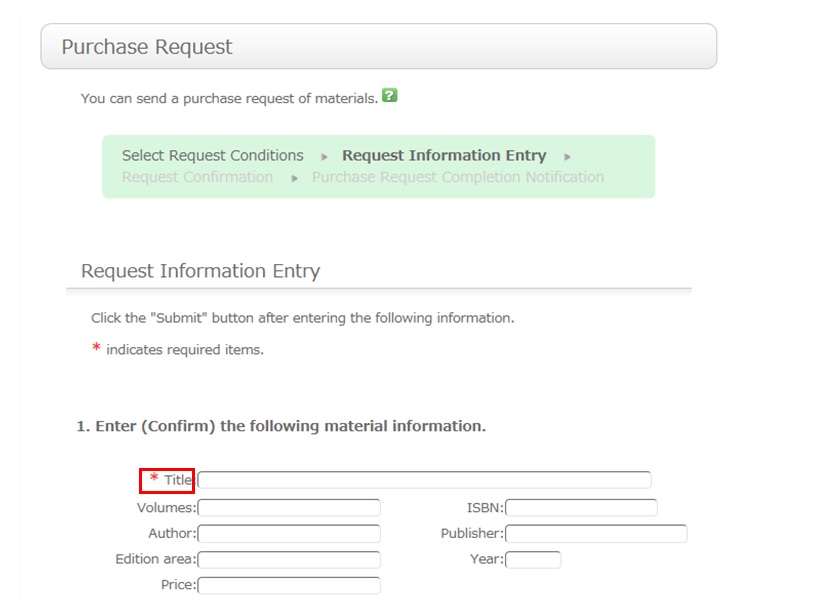
To be certain about obtaining those materials, enter as much detailed information as you can.
* Bold characters indicate required fields.
2. Next, enter your own information in the client information fields.
Note that if your contact information has an error, the materials cannot be promptly handed to you.
So be sure to enter the contact information for getting in touch with you.
3. Select the purchase application area and whether or not there is a reservation. Then, enter a note.
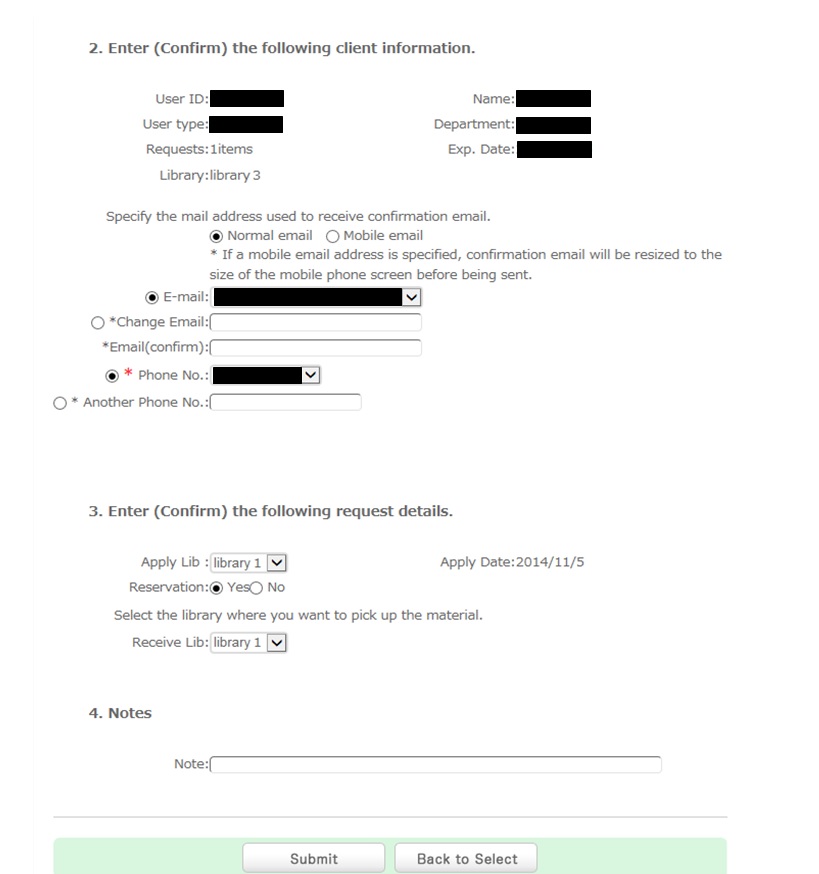
You may have information other than the above to report separately. Enter such information in the remarks field.
Once you have entered the above details, click the [Submit] button, and confirm the details on the confirmation screen.
When there are no problems, click the [Submit] button to complete the procedure.
Holding Library
●Holding Library
Nakamiya:Nakamiya Campus Library
Gotenyama:Gotenyama Campus Library
Nakamiya AVL:Nakamiya Campus AV Library
ICC:Nakamiya Campus International Communication Center

- Borrowing
- Renewal
- e-Books
- Databases
Opening Hours
Calendar
| Sun | Mon | Tue | Wed | Thu | Fri | Sat |
30 | 1 | 2 | 3 | 4 | 5 | 6 |
7 | 8 | 9 | 10 | 11 | 12 | 13 |
14 | 15 | 16 | 17 | 18 | 19 | 20 |
21 | 22 | 23 | 24 | 25 | 26 | 27 |
28 | 29 | 30 | 31 | 1 | 2 | 3 |
-
8:45~20:45
-
9:00~15:45
-
Closed
User Service
科研費 | Kakenhi